Edits you can take back
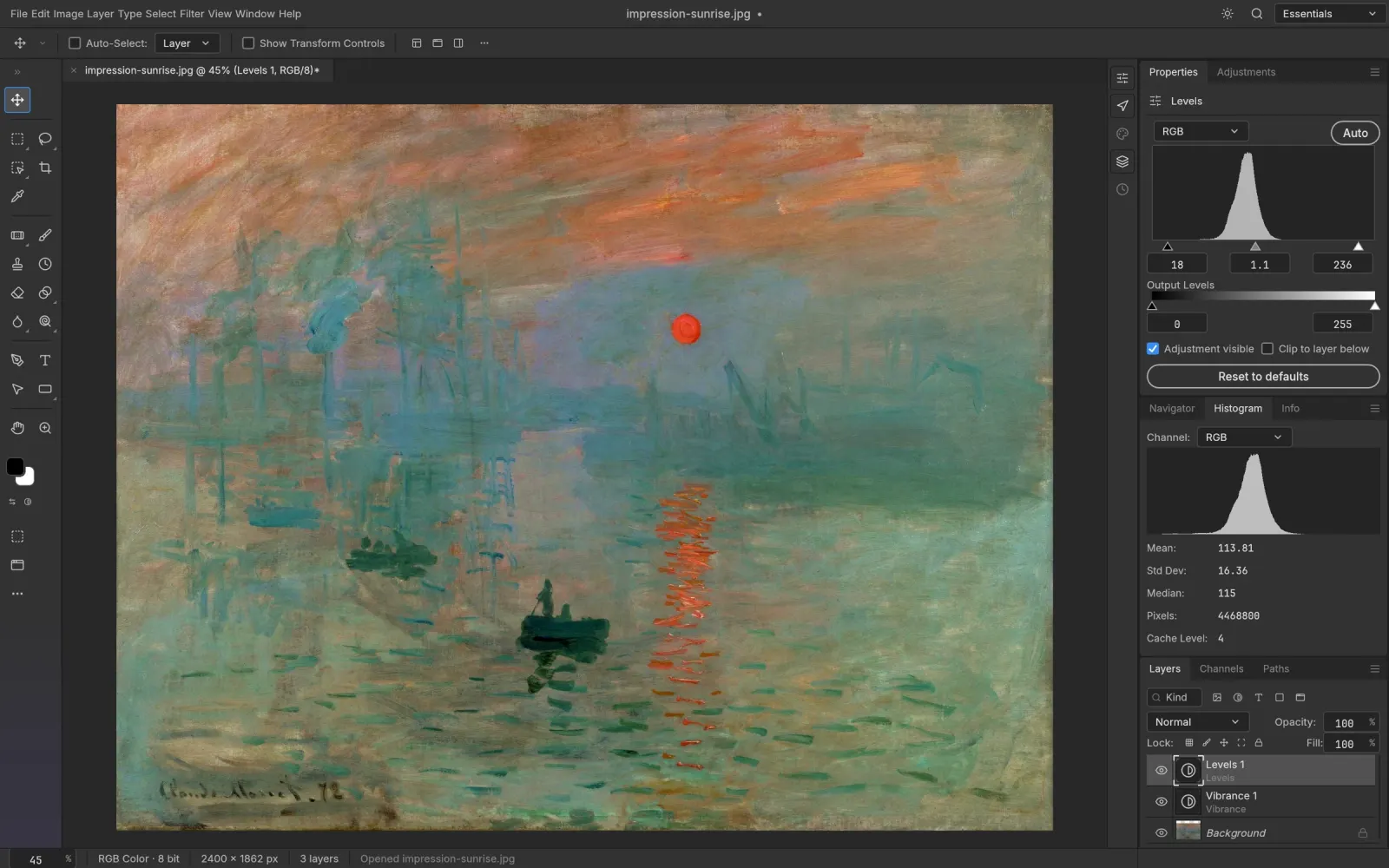
Adjustment layers keep Levels, Curves, Vibrance, Hue/Saturation and a dozen more live. Mask them to one area, reorder them, switch them off. The pixels underneath never change.
Impression, Sunrise — Claude Monet, 1872The open-source image editor with Photoshop’s layout, running in a browser tab. Open a PSD, work in layers and masks, export when you’re done. Your files stay on your computer.
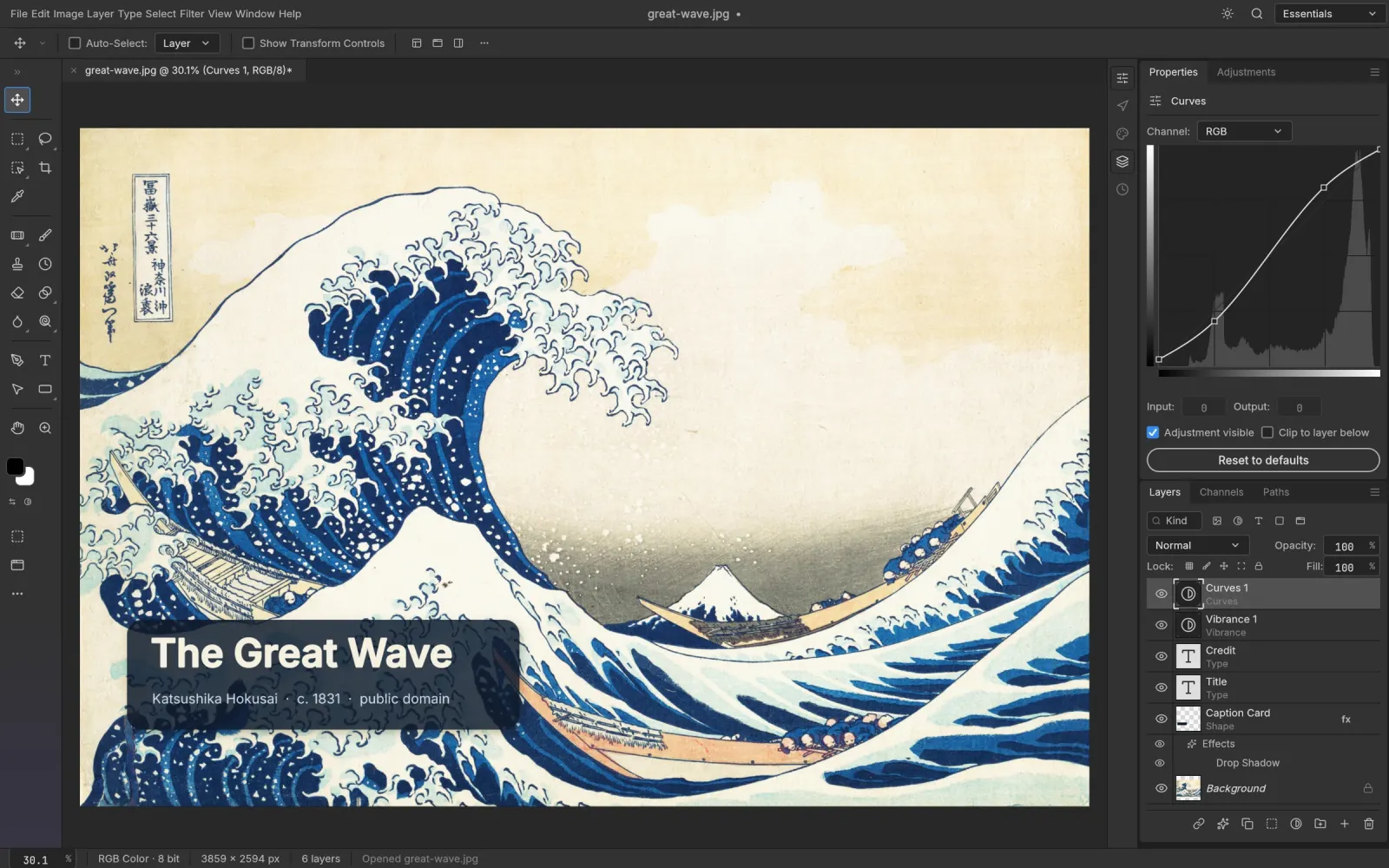
Menus, panels and shortcuts sit where your hands expect them, from ⌘J to ⇧⌘D. Here is some of what the web build does.
Adjustment layers keep Levels, Curves, Vibrance, Hue/Saturation and a dozen more live. Mask them to one area, reorder them, switch them off. The pixels underneath never change.
Impression, Sunrise — Claude Monet, 1872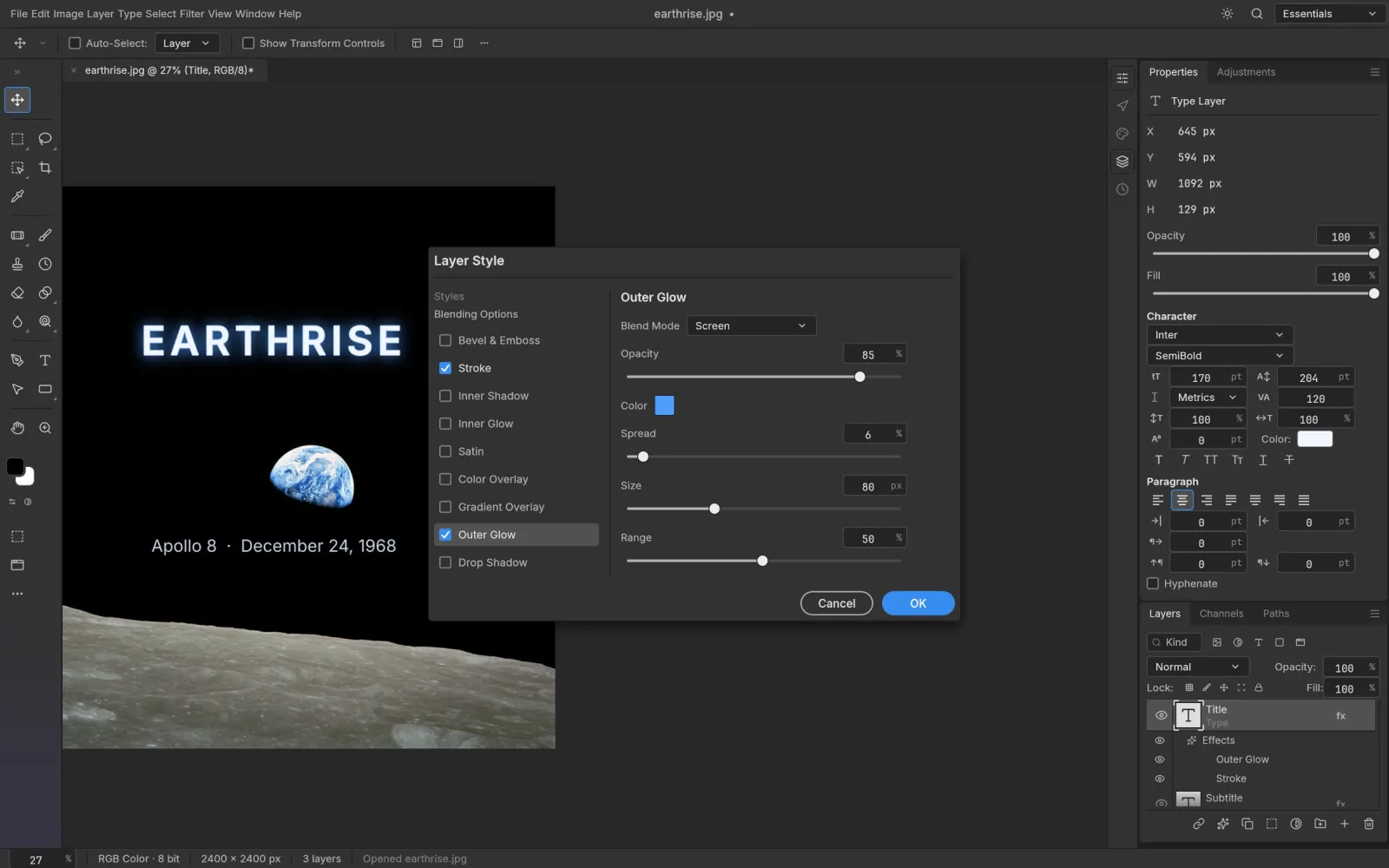
Drop Shadow, Inner and Outer Glow, Bevel & Emboss, Stroke and the overlays stay editable on any layer, including text. Styles inside your PSD files open as styles, not flattened pixels.
Earthrise — William Anders / NASA, 1968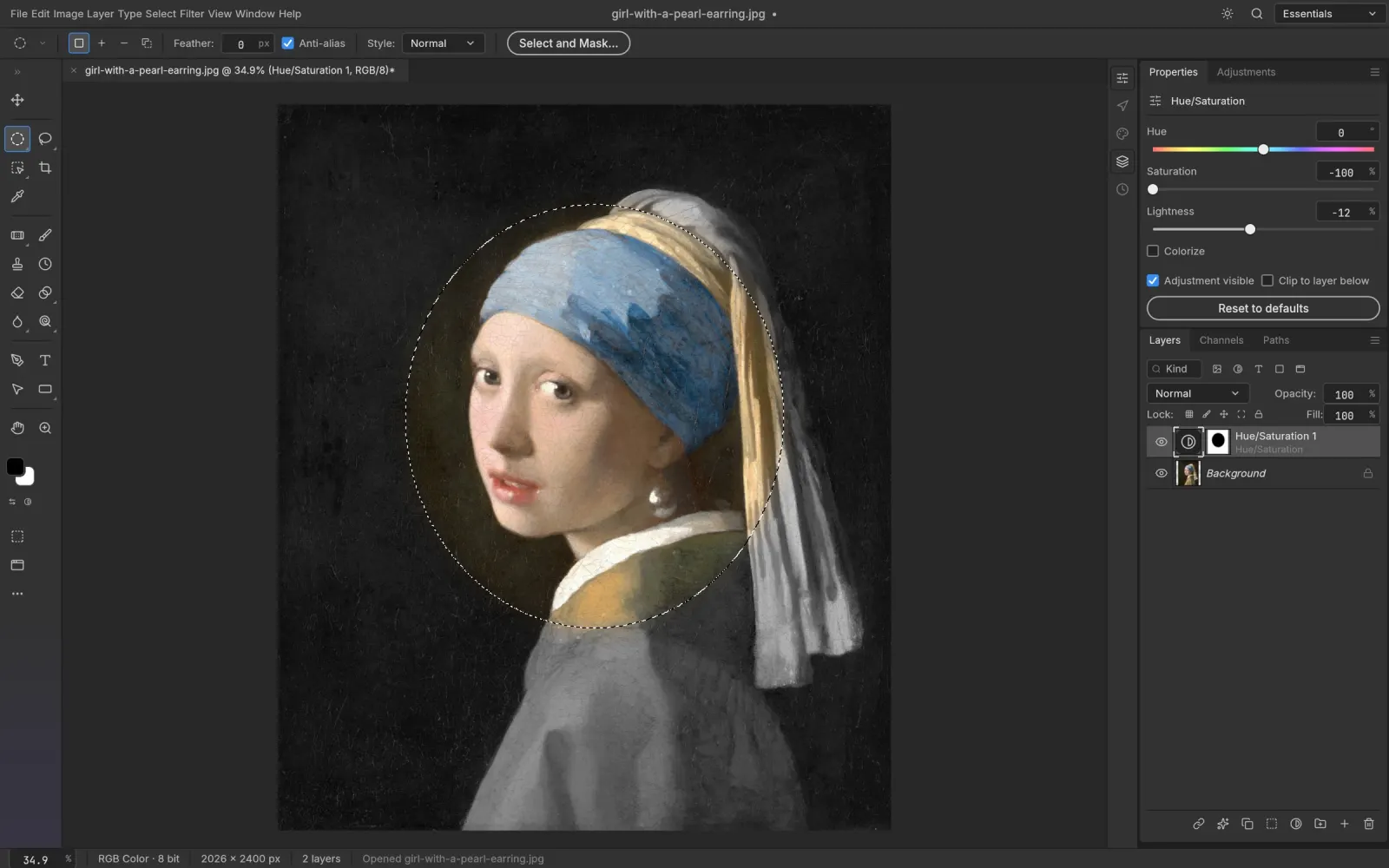
Marquees, lassos, Magic Wand, Quick Selection and Select Subject, then Select and Mask for the fine edges. Turn any selection into a layer mask, a path or a shape. Subject detection runs on your machine.
Girl with a Pearl Earring — Johannes Vermeer, c. 1665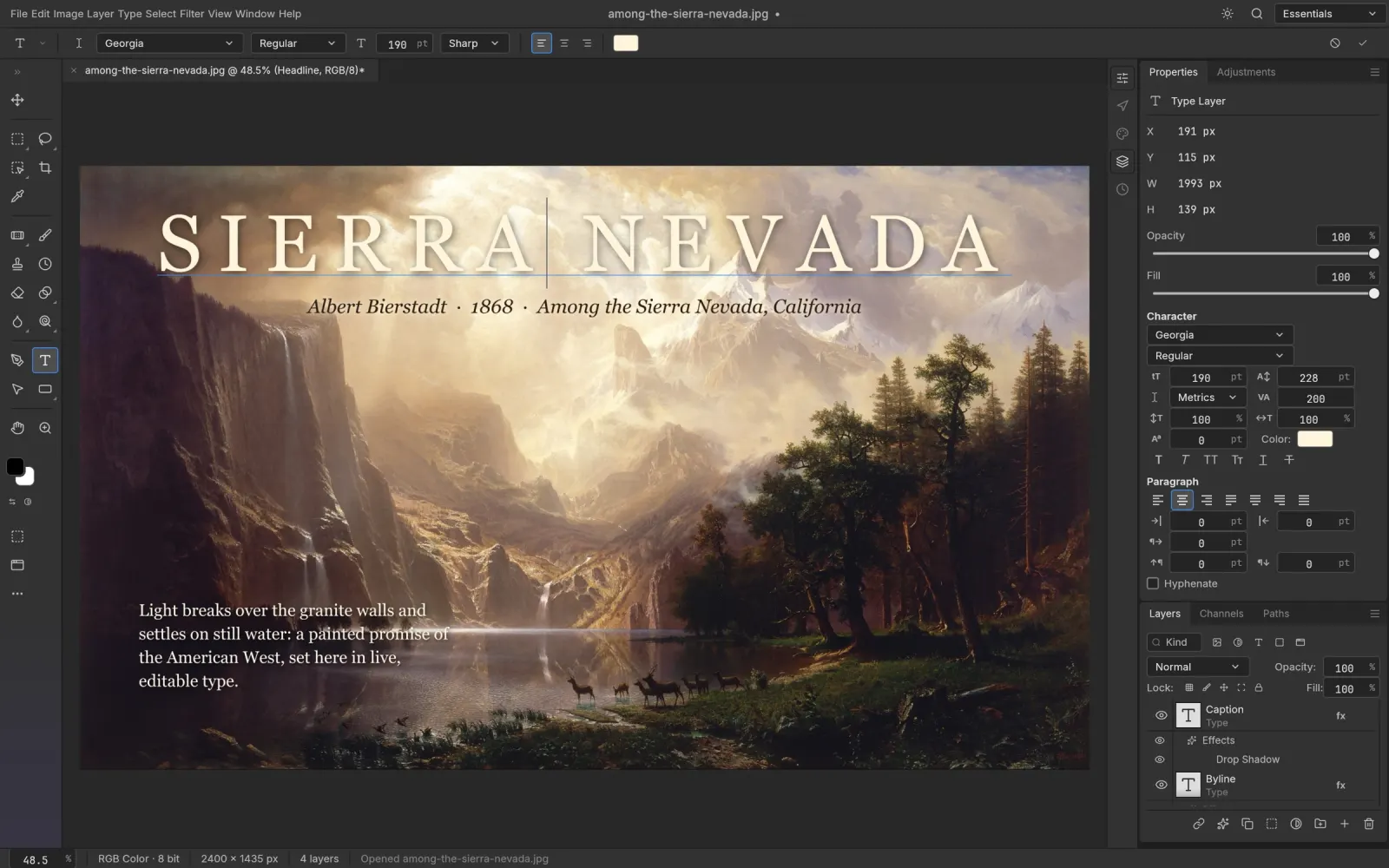
Point and paragraph text edited on the canvas, with font, weight, size, leading, tracking and alignment. On this site the font menu also lists 39 open-source families, including Chinese, Japanese and Korean.
Among the Sierra Nevada — Albert Bierstadt, 1868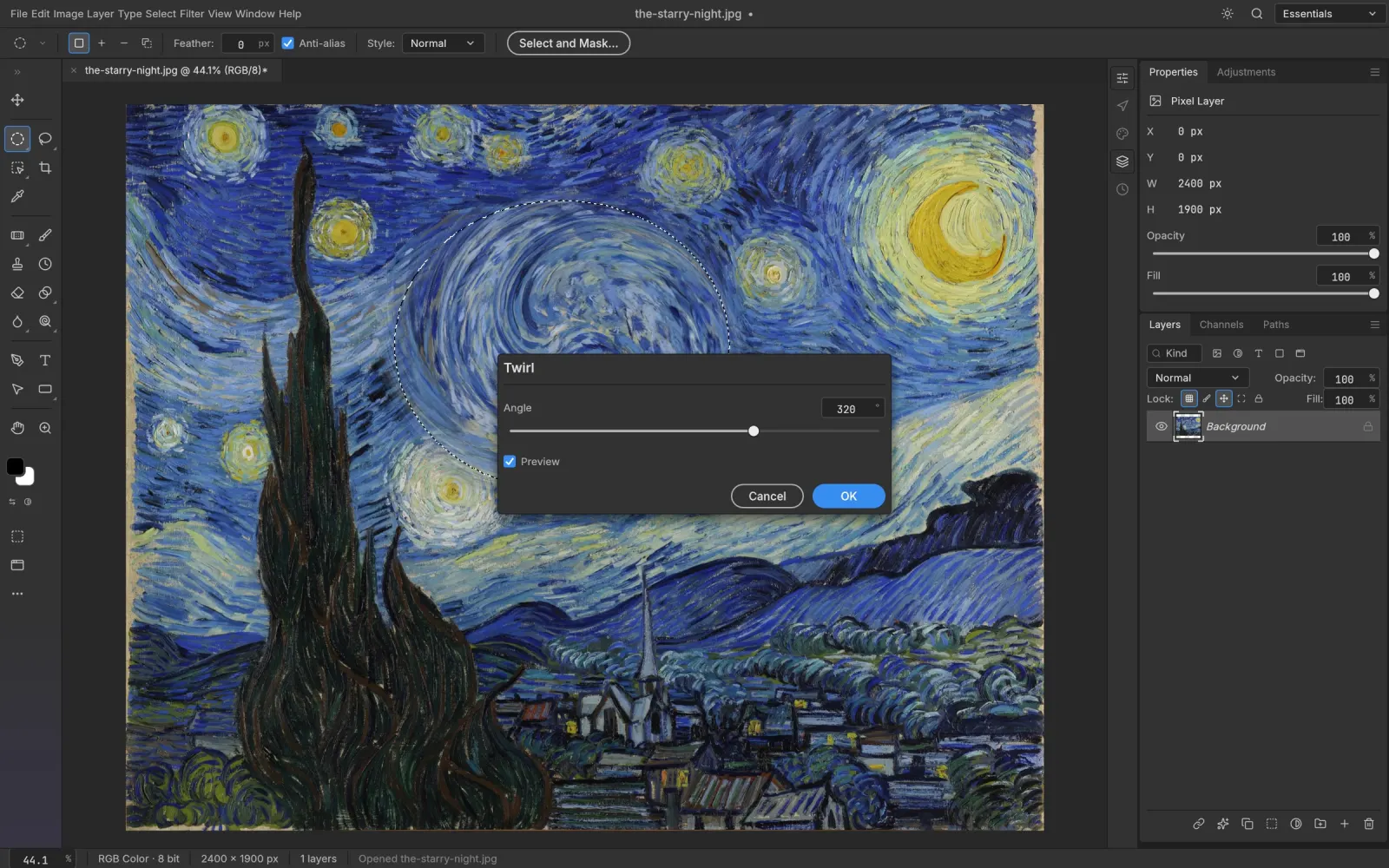
Gaussian, Motion and Lens blur, the Blur Gallery, sharpening, noise reduction, distortions, Oil Paint and Lighting Effects all preview on the canvas. Run them on a smart object and they stay editable.
The Starry Night — Vincent van Gogh, 1889Open the AI panel next to the canvas, paste an OpenAI, Google Gemini or OpenRouter key, and create images or edit an export from PhotoCraft. The result opens in the editor as a new document, ready to copy into your PSD as a layer.
Requests go from your browser to the provider. We never see your key, prompts or images, and we add no markup.
How the AI tools workThe editor is the official build, byte for byte. Around it we add a few things the bare build doesn’t have.
Each new PhotoCraft release is checked against its published SHA-256 checksum and deployed here. You are on v0.7.0.
The web build ships only Inter and JetBrains Mono. We serve open-licence families like Roboto, Montserrat, Playfair Display and Noto Sans SC/TC/JP/KR, downloaded only when you pick one.
Generate, remove backgrounds and restyle with OpenAI, Gemini or OpenRouter models, straight from the browser.
No account, no watermark, no upload. Close the tab and nothing of yours is left on a server.
PhotoCraft is in early alpha. Expect rough edges, and save often: the browser version has no autosave.
Yes. The editor is free and open source, there is no account, and nothing is locked behind a plan. The optional AI tools use your own API key, so any AI usage is billed by your provider, not by us.
It is the official PhotoCraft web build, unmodified, published by the ArtCraft team on GitHub. This site is independent: we host that build, keep it on the latest release, and add fonts and the AI panel around it.
No. PhotoCraft runs inside your browser with WebAssembly. Opening, editing and saving all happen on your device; files open from your disk and save back as downloads. The only exception is the AI panel, which sends the prompt and image you choose straight to the AI provider whose key you entered.
Yes. PhotoCraft reads and writes layered PSD and PSB files, keeping layers, groups, masks, adjustment layers, type and layer styles. Its own test suite re-saves 307 of the 309 files in the psd-tools corpus with a matching render.
No. The browser version has no autosave or crash recovery, so save (File › Save, which downloads the file) before you close or reload the tab. The desktop app is better for long sessions.
Any current Chrome, Edge, Firefox or Safari with WebGPU or WebGL2. WebGPU is used when available and is faster. A desktop or laptop is strongly recommended; the interface is built for a mouse and a large screen.
PhotoCraft’s interface is translated into 17 languages, including Simplified and Traditional Chinese, Japanese, Korean, Spanish, French, German and Portuguese. You can switch languages in Preferences.
PhotoCraft follows Photoshop’s menus and shortcuts, so it feels familiar, but it is an independent clean-room project in early alpha. Its developers say plainly that it is not yet a replacement for daily professional work, and generative AI features are not part of the app itself.
Free, private, and already loaded on your next visit.