Steps
- Open the editor at photocraft.run/editor. The first load downloads the app; later visits open from cache.
- Open your file with File › Open, or drag the .psd (or .psb) from your desktop onto the canvas.
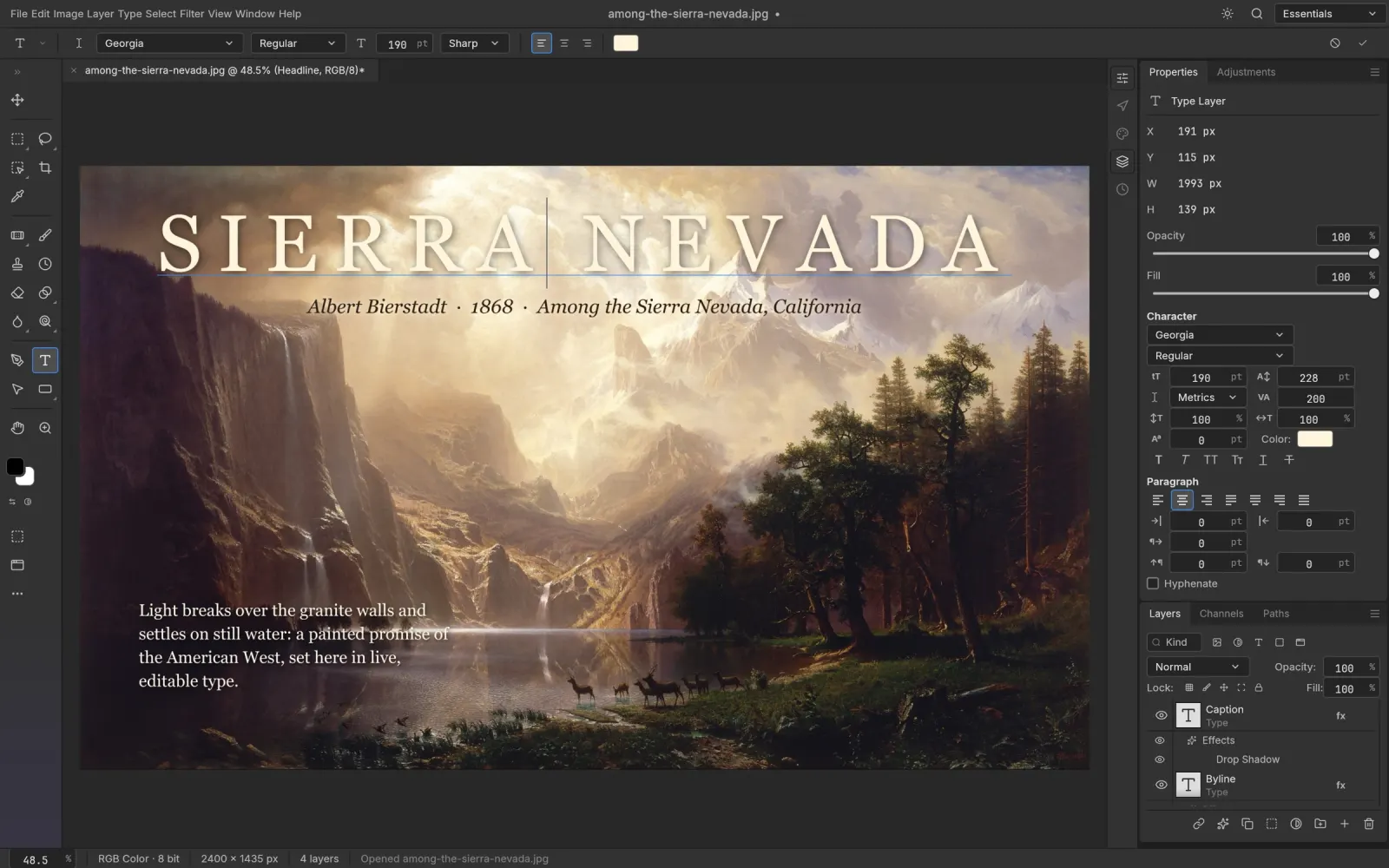
- Check the Layers panel. Groups, masks, adjustment layers, smart objects and type layers appear as separate, editable layers.
- Edit. Double-click a type layer’s text to change it, toggle adjustment layers, move and transform layers as usual.
- Save. File › Save As… writes a PSD you can reopen in Photoshop. For a flat image, use File › Export › Export As… (PNG, JPEG or WebP) or Layer › Quick Export as PNG. Both arrive as browser downloads.
What comes through
- Layers and groups, opacity, fill and 27 Photoshop blend modes
- Pixel and vector masks, clipping masks
- Adjustment and fill layers (Levels, Curves, Hue/Saturation, gradient and pattern fills and more)
- Type layers, still editable
- Layer styles: shadows, glows, bevel, stroke, overlays, plus patterns stored in the file
- Smart objects, including smart filters
- Shape layers. In the project’s corpus, all 116 shape layers match Photoshop’s pixels
PhotoCraft’s PSD support is written from Adobe’s public specification and tested against real-world files. Opening and re-saving keeps the render of 307 of the 309 files in the psd-tools test set.
Missing fonts
A browser can’t use the fonts installed on your computer, so text set in a font the editor doesn’t have will display with a substitute until you change it. The official web build includes only Inter and JetBrains Mono. On photocraft.run the font menu also offers 39 open-licence families, downloaded the first time you use one:
Noto Sans CJK SC · BIZ UDPGothic · BIZ UDMincho · Shippori Mincho · Noto Sans Arabic · Noto Sans Thai · Noto Sans TC · Noto Sans KR · Noto Sans SC · Noto Serif SC · Noto Sans JP · Roboto · Open Sans · Montserrat · Lato · Poppins · Inter · Raleway · Nunito · Work Sans · DM Sans · Space Grotesk · Oswald · Bebas Neue · Anton · Archivo Black · Playfair Display · Merriweather · Lora · DM Serif Display · Abril Fatface · Lobster · Pacifico · Dancing Script · Caveat · Great Vibes · Bangers · Righteous · Roboto Mono
If your PSD relies on a commercial font, keep the type layer editable and switch to a close match, or export from the desktop app, which can use your installed fonts.
Tips
- Save before closing the tab. The browser version has no autosave.
- Keep the original. Save edits under a new name until you have checked the result in your usual tools.
- Other layered formats work too: layered TIFF, Krita/GIMP OpenRaster (.ora), Paint.NET (.pdn) and Affinity documents (read-only).
FAQ
Is it safe to open client PSDs here?
The file is read by the editor inside your browser and never uploaded. Nothing about the document reaches photocraft.run’s servers.
How large a PSD can I open?
It depends on your computer’s memory and the browser. Typical design files with dozens of layers are fine. For very large PSB files or hundreds of layers, the desktop app is more comfortable.
Will the PSD look the same in Photoshop after I save it?
In PhotoCraft’s own tests, opening and re-saving keeps the render of 307 of the 309 files in the psd-tools test set. Data PhotoCraft doesn’t model yet is carried through rather than dropped. The saved file is not byte-identical to the original, so keep a copy of anything important.